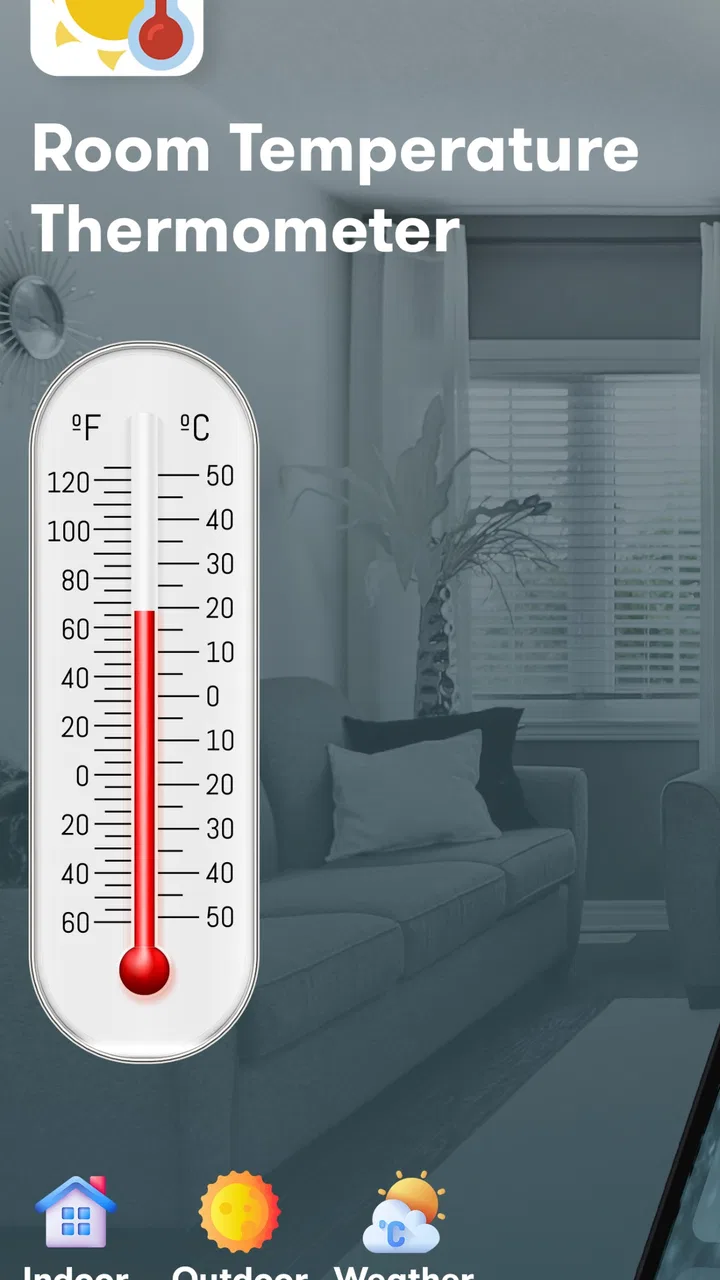
Room Temperature Thermometer
- 4.2
- Rating
- 1.00M
- Installs
- Free
- Price

 Analysis by App-foxy
I tried Room Temperature Thermometer as a simple way to check the conditions around me without turning a quick temperature check into a full weather routine. Developed by Morsol Technology, this free weather app focuses on indoor temperature, outdoor temperature, and humidity. That narrow purpose is also its main appeal: it is easier to understand than a crowded forecast app when all I want to know is whether a room feels unusually warm, dry, or uncomfortable.
My overall impression is positive, but with an important qualification. This is best treated as a convenient environmental reference, not as a replacement for a proper thermometer or a certified weather instrument. On a compatible Android device running version 6.0 or later, it offers a useful snapshot, especially for everyday decisions such as adjusting ventilation, checking a bedroom before sleep, or comparing an indoor room with the conditions outside.
A focused temperature and humidity check
The app’s verified strength is its concentration on local conditions. Instead of asking me to interpret radar maps, hourly forecasts, wind charts, and warning panels, it puts the basic question first: what is the temperature around me, and how does the humidity affect that feeling? That makes the experience approachable for someone who does not need a complete meteorological dashboard.
You May Also Like

 Blood Strike: 2.5 Anniversary
Blood Strike’s Loadouts Turn Every Drop Into a Tactical Gamble
A close look at Blood Strike’s custom loadouts: how fast access to signature weapons reshapes its battle royale rhythm, rewards preparation, and narrows the gap between fights.

 Pandora - Music & Podcasts
Pandora’s Music Is Easy to Start, but Harder to Recover
Pandora’s strength is its low-effort path from a seed to a station. Its weak spot is how much confidence it asks you to place in connection, setup, and quiet recovery.

 8 Ball Pool
 Is Built on Rivalries, Rematches, and Routine
A close look at the rivalries, rematches, shared routines, and unanswered safety questions that turn a quick pool match into a persistent mobile community.

 Samsung Music
’s Quiet Strength Is Playing What You Already Own
Its reach comes less from spectacle than from dependable access to a personal library. That simplicity is both the app’s strongest retention engine and its ceiling.

 AccuWeather: Weather Radar
AccuWeather Review: A Quick, Clear Forecast for Everyday Decisions
For everyday plans, the best forecast is the one you can understand quickly. AccuWeather makes rain timing, radar, and local conditions easy to act on, with a few trade-offs.

 Hill Climb Racing
Why Hill Climb Racing Still Turns Crashes Into One More Run
A tiny car, a bumpy hill and one more upgrade: Hill Climb Racing keeps resurfacing because its simple chaos makes every near-miss feel personal.
More From Our News Desk



Temperature alone can be misleading indoors. A room may not seem especially hot on the display, yet high humidity can make it feel heavier and less comfortable. Conversely, a cooler room with low humidity can feel dry rather than refreshing. Having both readings together gives the app more practical value than a temperature-only widget or a glance at the forecast for a nearby city.
I also like the distinction between indoor and outdoor conditions. A weather service normally tells me what is happening outside in a wider area, while this app is aimed at the immediate environment. That difference matters in an apartment, office, classroom, nursery, or workshop where the indoor air can be very different from the street outside.
The presentation is most useful when I resist the temptation to treat every displayed value as laboratory-grade. A phone is not automatically a dedicated measuring instrument. Depending on the device and the way the reading is obtained, the result may be better for observing a general trend than for settling a precise dispute about a fraction of a degree. I see that as a reason to use the app intelligently, not a reason to dismiss it.
Why the indoor reading is the meaningful feature
Outdoor forecasts are already easy to find, but indoor information is often the missing piece. I can know that the day is cool outside and still have an overheated room because of sunlight, cooking, electronics, or poor airflow. The indoor view helps connect the number on the screen with the comfort problem I am actually trying to solve.
For example, if I wake up feeling uncomfortable, I can check the room before opening a window. If the indoor temperature is elevated while outdoor conditions are cooler, airing the room may help. If humidity is high as well, simply lowering the temperature may not solve the whole problem. The app does not make that decision for me, but it gives me a clearer starting point.
This is also where the app feels more personal than a standard forecast. A forecast describes a region. Room Temperature Thermometer is more useful when the question is about the specific space where I am sitting. That distinction is easy to overlook, but it is the reason I would install this rather than relying only on a normal weather service.
How I use it in practice
My practical workflow is straightforward. I open the app when I want a current indoor or outdoor reference, read the temperature and humidity together, and then compare the result with how the room feels. I do not make a decision from a single number in isolation. Instead, I look for a pattern: does the room remain warm after ventilation, does humidity stay elevated, or does the indoor reading move closer to the outdoor one after a window is opened?
That approach turns the app into a small observation tool. It can help me check whether a change made a difference, even when I do not need a long-term chart or a detailed weather report. If I move a fan, close curtains, or improve airflow, I can take another reading later and see whether the conditions appear to have shifted.
A useful habit is to avoid checking immediately beside a heat source. A phone placed near a radiator, cooking area, sunny window, or warm laptop may not represent the room as a whole. I get a more sensible comparison when I keep the device away from direct heat and use the same general location for repeated checks. This is one of the most important practical details because inconsistent placement can make a simple reading look more dramatic than it really is.
I would also allow the app a moment before interpreting the display, particularly after moving from one environment to another. A phone that has been in a pocket or bag may not reflect the surrounding air right away. The app is most helpful when I treat it as a quick check of ambient conditions rather than expecting instant precision after every change of location.
A realistic everyday scenario
Imagine working from home in a small room during a warm afternoon. The outdoor forecast says the day is manageable, but the room feels stuffy. I open the app and check both temperature and humidity. Rather than guessing whether the discomfort comes from heat or damp air, I now have two clues. I open the window for a while, move away from direct sunlight, and check again later. If the indoor reading changes, I have some evidence that the adjustment helped.
The same routine can be useful before bedtime. A bedroom may feel uncomfortable because it is warm, humid, or simply poorly ventilated. Checking the room before going to sleep can guide a small change, such as airing the space or adjusting a fan. I would not use the app to make medical decisions, but for ordinary comfort it gives a more grounded answer than relying on instinct alone.
Parents may also find the indoor reading convenient when preparing a child’s room, although I would still use a dedicated and dependable thermometer where exact monitoring matters. The app can tell me whether a room appears to be trending warmer or cooler, but it should not be the only instrument used for health-sensitive situations.
How it compares with ordinary weather apps
A conventional weather app remains the better choice when I need forecasts, rain timing, severe-weather information, wind conditions, or a broader view of the day ahead. Those apps are designed around outdoor planning. Room Temperature Thermometer is more immediate and local, but it is not intended to replace that wider context.
Compared with a dedicated indoor thermometer or hygrometer, the app is more convenient because I can check it on a device I already carry. The trade-off is confidence. A physical instrument designed specifically for measurement may be preferable when I need dependable accuracy, continuous monitoring, or a fixed display that other people can read at a glance.
Compared with a smart-home sensor, the app is also simpler. A sensor can remain in one place and provide consistent readings over time, while a phone-based check is easier to start but more affected by handling and placement. I would choose this app for occasional checks and a dedicated sensor for automation, records, or a room that needs constant observation.
Small details that improve the experience
One non-obvious advantage is that the app can support comparison rather than just a one-time glance. I can check before and after ventilation, compare a shaded room with a sunny one, or notice whether a space stays humid after drying clothes indoors. The value comes from using the readings as clues in a routine, not from staring at a single result.
Another useful insight is to read humidity as context, not as a separate score to chase. If a room feels uncomfortable, temperature and humidity together help me form a better explanation. That prevents the common mistake of lowering the temperature when the real issue is dampness, or increasing heat when the air simply feels dry.
A third practical tip is to establish a personal baseline. I can check the same room at roughly similar times for several days and learn what “normal” looks like in that space. Even without turning the app into a scientific logbook, this makes unusual readings easier to recognize. The baseline is more useful than comparing my room with a generic outdoor forecast.
The app is free to install, which makes this kind of experiment easy to try. It also carries optional in-app purchases ranging from $2.49 to $17.99 per item. I would look carefully at what is offered before paying, especially because the core appeal is simplicity. Someone who only needs an occasional reading may find the free experience sufficient, while a frequent user may decide that an optional upgrade is worthwhile if it adds convenience they actually need.
Where the approach has limits
The main limitation is measurement confidence. A phone app can be very handy, but convenience should not be confused with the precision of a dedicated instrument. If I need to protect temperature-sensitive equipment, monitor a baby’s room closely, manage a greenhouse, or document environmental conditions, I would choose hardware designed for that purpose and use this app only as a secondary reference.
There is also a practical limitation in the meaning of “outdoor” conditions. A reading associated with the outside may not represent the exact spot I care about, especially if I am near a building, in a sheltered courtyard, or in a different microclimate from the broader area. For trip planning or weather-sensitive work, a full forecast service is more appropriate.
The app’s focused design can feel restrictive if I expect a complete weather center. I would not install it primarily for maps, storm tracking, long-range planning, or detailed forecast analysis. Its value drops when my questions move beyond immediate temperature and humidity.
There is also a small risk of overchecking. Because the app makes a quick reading easy, it can encourage me to react to tiny changes that do not matter in everyday life. I get better results when I use it to identify meaningful differences, such as a room becoming consistently warmer or more humid, rather than treating every fluctuation as a problem.
Who will get the most from it?
I think the best audience is someone who wants a lightweight indoor comfort check and does not already own a thermometer or humidity meter. Renters, students, remote workers, and people moving between rooms can all benefit from having a quick reference on hand. It is particularly useful for those who want to understand why a room feels different from the outdoor forecast.
It may also suit users who prefer a focused tool over a large weather dashboard. The app has reached more than a million installs, and its average rating is 4.3 from around twenty-five thousand ratings, which suggests that many people appreciate this straightforward purpose. I would still judge it by my own needs: popularity does not turn a convenient phone reading into professional measuring equipment.
The Everyone content rating makes it approachable for general household use. Morsol Technology has kept the concept easy to understand, and the current version, 1.26.082, supports the app’s role as a simple utility rather than an elaborate weather platform. I appreciate that clarity because it helps set the right expectations before I rely on it.
I would skip it if I already have a reliable hygrometer and thermometer in every room, or if my main goal is forecasting tomorrow’s rain. I would also skip it for situations where exact measurements, automatic history, alerts, or permanent monitoring are essential. In those cases, dedicated equipment or a more complete weather service is the better investment.
My final take
Room Temperature Thermometer works because it concentrates on a question that ordinary weather apps often answer poorly: what is the environment like where I am standing right now? The combination of indoor temperature, outdoor temperature, and humidity gives me enough context to make small comfort decisions and observe whether changes to a room are helping.
I recommend it as a free, convenient reference for everyday use, provided it is treated with sensible limits. Keep the phone away from direct heat, compare readings under similar conditions, and use a dedicated instrument when accuracy has real consequences. For a quick check before opening a window, adjusting a bedroom, or understanding a stuffy workspace, it is a practical app with a clear purpose.
My honest verdict is that this is not the right tool for everyone, but it is a good fit for people who want immediate indoor context without installing a complicated weather suite. Its greatest strength is not the number on the screen by itself; it is the way that number, paired with humidity and a little observation, helps me make better sense of the room I am actually using.
FAQs for Room Temperature Thermometer
01How accurate is the Room Temperature Thermometer app?
The Room Temperature Thermometer app is designed to provide reasonably accurate temperature readings by using the sensors available in your smartphone. However, the accuracy can vary depending on the device model and environmental factors. For the most precise results, ensure your device is away from direct heat sources and is well-ventilated.
02Does the app require an internet connection to function?
No, the Room Temperature Thermometer app does not require an internet connection for its basic functionality. It uses the device's built-in sensors to measure the ambient temperature. However, some additional features, such as weather updates or community features, may require data connectivity.
03Is the app compatible with all Android and iOS devices?
The Room Temperature Thermometer app is compatible with most modern Android and iOS devices. However, older models or devices with limited sensor capabilities may not provide optimal results. It’s recommended to check the app’s compatibility with your device in the respective app store before downloading.
04Can the app measure outdoor temperatures?
The app primarily measures the temperature of the environment around your device, which is usually indoors. To get accurate outdoor temperature readings, the app might integrate with online weather services. Ensure your location services are enabled to receive precise outdoor temperature data.
05How can I ensure the temperature readings are as accurate as possible?
To achieve the most accurate temperature readings, keep your device away from direct sunlight, heat sources, and avoid holding it for long periods before measuring. Additionally, ensure your device is well-ventilated and not enclosed in a tight space, which can affect the sensors' accuracy.
Pros
- Accurate temperature readings.
- Simple and intuitive interface.
- Quick setup and calibration.
- Supports multiple locations.
- Low battery consumption.
Cons
- Limited to indoor temperature.
- Ads can be intrusive.
- No humidity information.
- Requires internet for updates.
- Limited customization options.

Room Temperature Thermometer
Gallery